
Contracts signed at the kitchen table
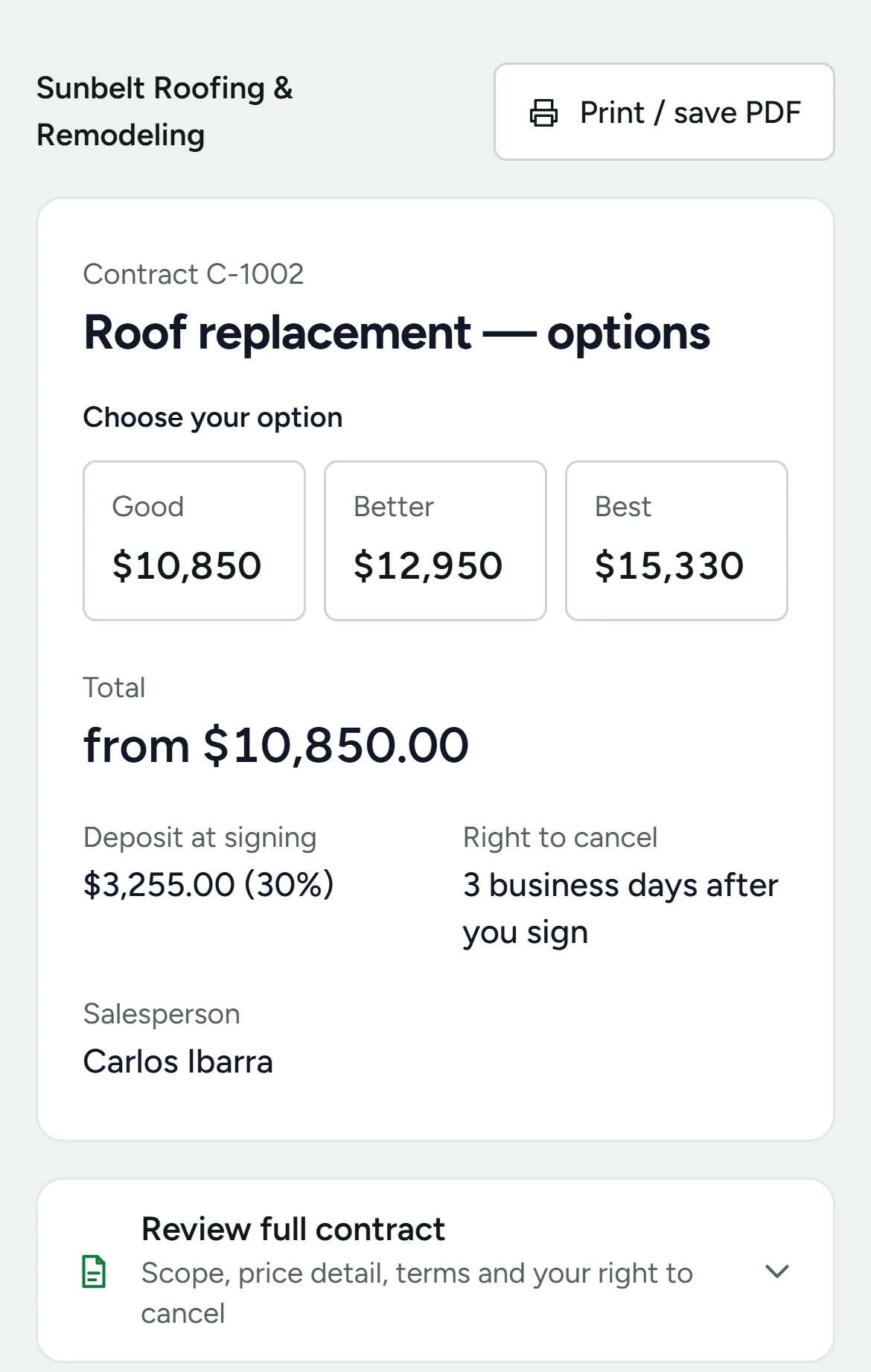
The rep writes the contract from your template and price book, the homeowner picks an option and signs on the rep’s phone, and the deposit invoice is ready the moment they sign.
What goes into every contract
- Your template, your words
- Your own contract text and terms. The rep fills in the blanks for this job; nothing goes out with a blank left in it.
- Your price book
- Add line items from your own price book, so every rep quotes the same prices.
- Good, better, best
- Up to three options with their own prices. The homeowner picks one before signing.
- The deposit
- A deposit at signing, as a percentage of the total, with its invoice created on the spot.
- Both owners
- A co-signer signs on the same screen when there are two owners.
- The 3-day right to cancel
- The federal cooling-off notice for sales made in the home, in English or Spanish, with the date the window ends.
See who signed, who viewed and who is waiting
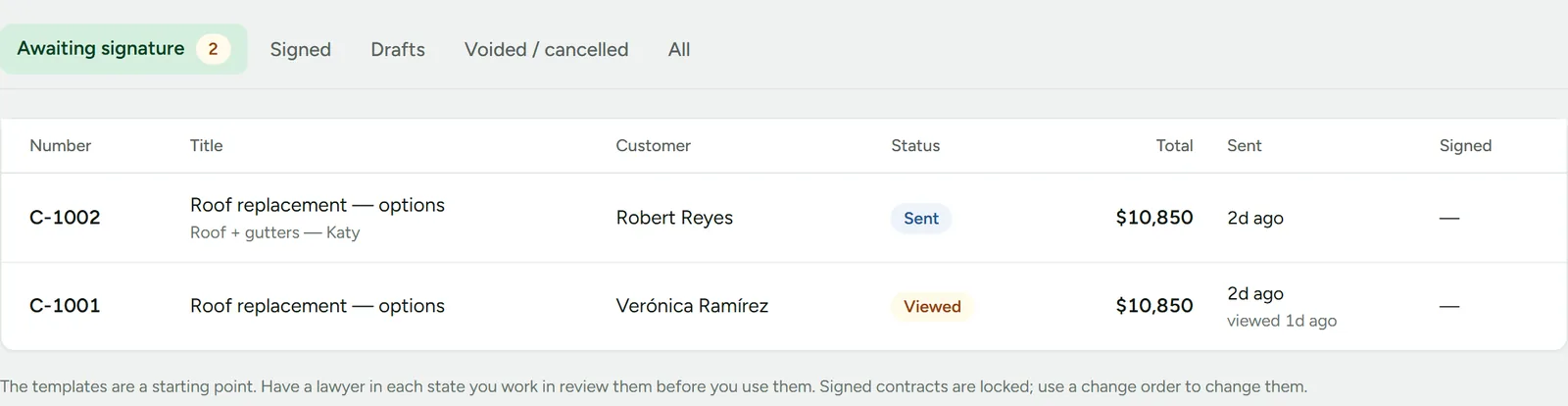
Every contract shows when it was sent and whether the homeowner has opened it. An unsigned one gets a reminder email after 48 hours, and the rep a call task after 4 days.
Money waiting for a signature, on the Today screen
The owner sees how many contracts are awaiting signature and what they are worth the moment they sign in, next to the visits still missing a result.

Signed work becomes a job
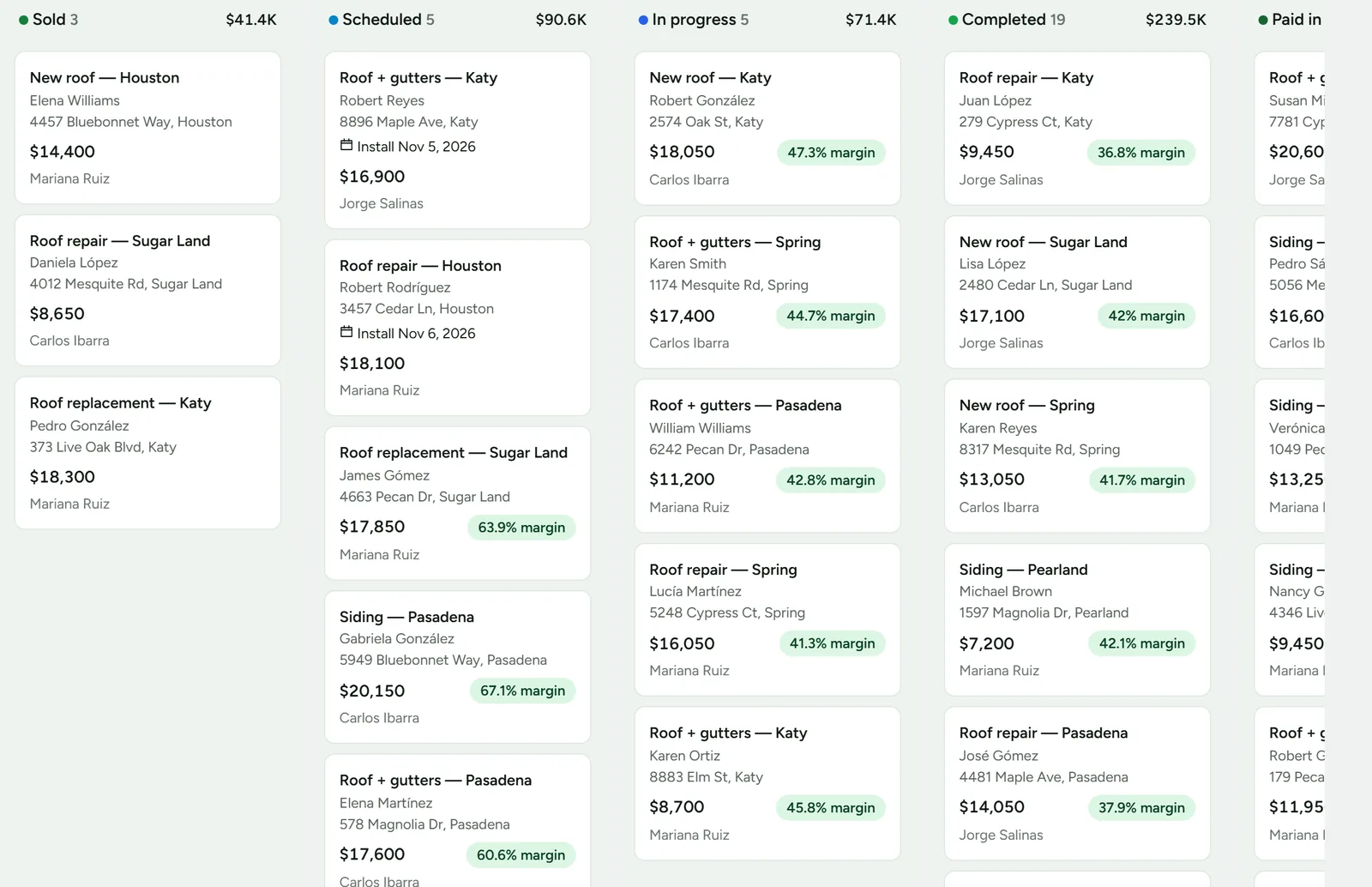
Each signed contract lands on the jobs board, from sold to scheduled, in progress, completed and paid, with the margin of every job.
A signature you can stand behind
Real ink
The homeowner draws their signature. An empty box is refused.
The version they saw
Each signature is tied to a fingerprint of the exact contract on the screen, with the time and the seller’s details frozen as they were.
Consent to sign electronically
The homeowner agrees to sign electronically first, as the federal ESIGN Act asks, and can still get a paper copy.
A copy for them
The signed copy goes to the homeowner by email, and anyone can print it or save it as a PDF.
After they sign
Deposits and payments
Record payments by check, Zelle, card or cash. Each invoice shows what is still owed, and a payment larger than the balance is stopped.
If they cancel
When a homeowner cancels within the 3 days, Closenture voids the invoices, emails them a confirmation and takes the sale off your numbers.
Reminders
An unsigned contract gets one reminder email after 48 hours, and the rep a call task after 4 days. Invoice reminders can be turned on.
Into the job
The signed job moves to your production stages, with its photos, files, crew and costs in one place.
Have a lawyer review your contract text for each state you work in. Some states add their own rules; California, for example, gives buyers 65 and older five business days to cancel.
Questions
- In the United States, the federal ESIGN Act and state laws based on UETA give electronic signatures the same effect as handwritten ones for most contracts, as long as the signer agrees to sign electronically. Closenture records that consent with each signature. Check your state’s home-solicitation rules with a lawyer.
- Yes. Contracts signed in the home carry the federal 3-day right-to-cancel notice in English or Spanish, and the job shows until when the homeowner can cancel.
- Yes. Your contract text, terms and price book are yours. The rep fills in the blanks for each job.
- Yes. A co-signer signs on the same screen, right after the first owner.
- Not through Closenture. It records payments rather than processing them, so you take the deposit the way you do today and log it.
Book a demo
We call you back, in English or Spanish, to set up a 20-minute demo with numbers like yours. Rather look first? Open the live demo or write to hello@closenture.com.